
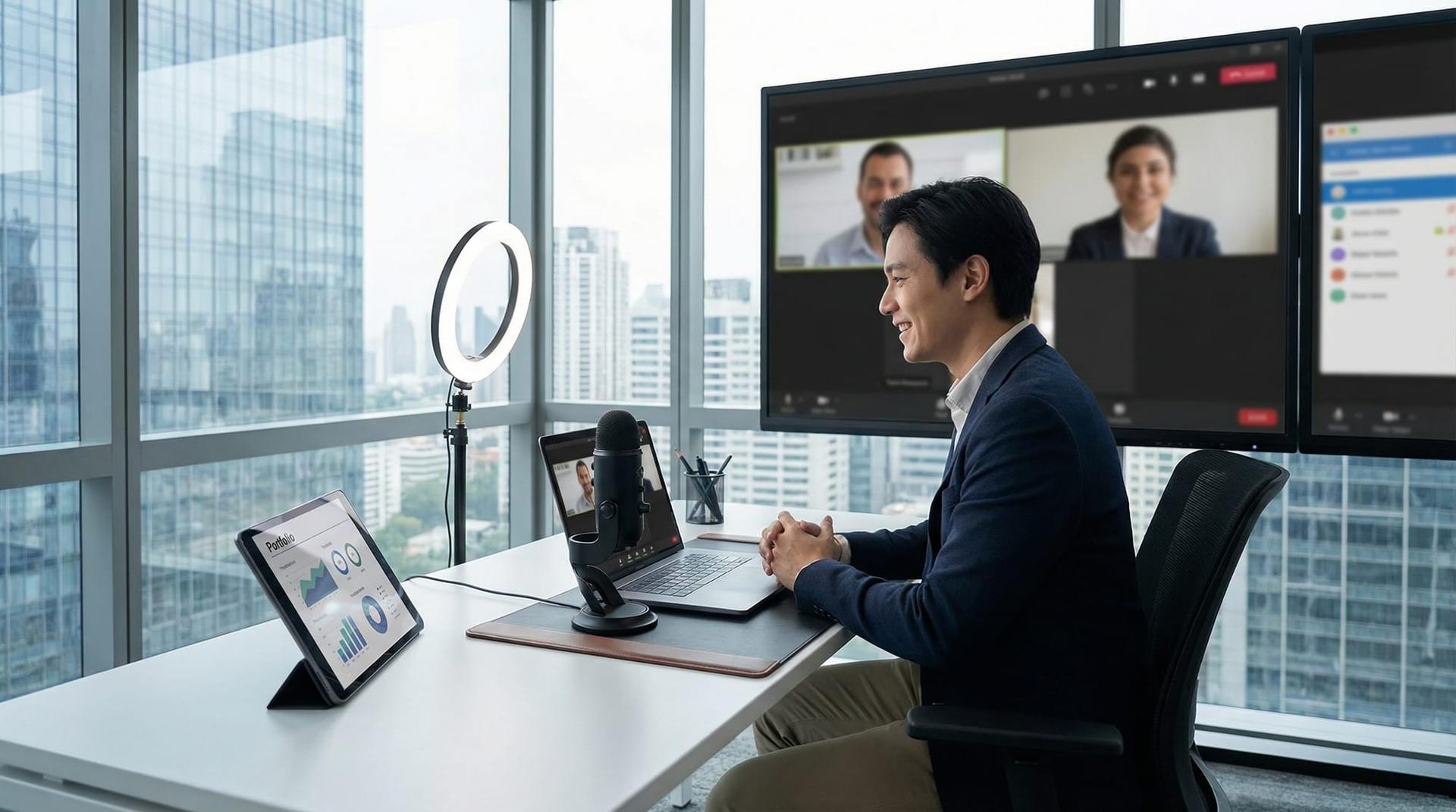
How to Master Online Interview Platforms
The Digital Stage: Why Mastery Matters
Online interview platforms have evolved from temporary tools to permanent career gatekeepers. By 2026, over 86% of initial hiring screenings globally are conducted virtually, meaning your first handshake is almost certainly digital. If you cannot command the virtual room, your skills on paper may never get the chance to shine.
Mastery of these platforms is no longer just about "making it work"—it is a proxy for your professional competence. When you seamlessly navigate a Zoom breakout room or flawlessly share a high-fidelity portfolio on Microsoft Teams without fumbling, you signal to employers that you are tech-savvy, adaptable, and ready for the modern remote-hybrid workforce. Conversely, technical friction suggests a lack of preparation or digital literacy.
The stakes are high. Recent data indicates that nearly 62% of candidates still experience technical difficulties during interviews, often leading to immediate bias against them. To win the offer, you must treat the platform not as a hurdle, but as your stage.
A Tale of Two Interviews
Consider the story of Alex, a talented UX designer applying for a senior role at a top tech firm in early 2026. The interview was hosted on a platform he hadn't used before—Webex.
Ten minutes before the call, Alex realized his browser permissions were blocking the camera. By the time he joined, he was three minutes late, flushed, and apologizing profusely. When asked to walk through his portfolio, he struggled to find the "Share Window" option, accidentally sharing his cluttered desktop instead of his presentation. The hiring manager’s smile grew tight. Despite Alex’s brilliant design skills, the narrative of the interview became about his struggle, not his talent.
Now, contrast this with Sarah, applying for a similar role. Sarah knew the interview was on Microsoft Teams. She joined five minutes early to test her audio levels. When the "tell me about yourself" question came, she looked directly into the camera lens—not the screen—creating the illusion of deep eye contact.
The pivotal moment arrived when she needed to brainstorm. Instead of just talking, Sarah confidently toggled to the Teams Whiteboard feature, sketching out her user flow in real-time while narrating her thought process. The interviewers were captivated. They didn't just see a designer; they saw a collaborator who could drive remote meetings effectively. Sarah got the offer; Alex didn't.
Reflection: The difference wasn't their design skill—it was their platform fluency. In a remote world, the medium is the message.
Core Insights for Virtual Success
To replicate Sarah's success, you need to move beyond basic setup and embrace "production value." Here are the core insights for dominating online interview platforms:
1. Audio and Visual Hygiene
In 2026, "Can you hear me?" is the new "I'm late." It kills momentum.
- Hardwire Your Internet: Wi-Fi is convenient, but Ethernet is professional. A jittery connection signals an unreliable remote worker.
- The Eye-Contact Triangle: Place your zoom window immediately below your webcam. This minimizes the visual gap between looking at your interviewer and looking at the lens. 64% of interviewers cite lack of eye contact as a major red flag.
- Lighting Matters: Avoid backlighting (the "witness protection" look). Face a window or invest in a simple ring light. 58% of hiring managers admit that poor lighting negatively impacts their perception of a candidate.
2. Platform Specifics (Zoom vs. Teams vs. HireVue)
Each online interview platform has unique quirks.
- Zoom: Known for its "Touch Up My Appearance" filter and reliable background noise suppression. Master the "Share Sound" feature if showing video clips.
- Microsoft Teams: heavy on integration. Be prepared for it to sync with your Outlook calendar. Know how to use "Live Reactions" appropriately to show engagement without interrupting.
- HireVue / Asynchronous Video Interviews (AVI): These are AI-driven one-way interviews. The key here is energy. Without a human to nod back, candidates often sound flat. Imagine a specific person behind the lens and project 10% more enthusiasm than feels natural.
3. The "Second Screen" Advantage
One major pitfall is reading from a script on your main screen, which makes your eyes dart back and forth. Instead, use a physical notebook for keywords or a sticky note right next to the webcam. If you use a second monitor, ensure it is used for reference materials (like the job description), not for distraction.
The Breakthrough: Leveraging the Tech
The turning point in mastering online interview platforms comes when you stop fighting the tool and start using it to enhance your story. For Sarah, the breakthrough wasn't just using the whiteboard; it was the confidence to suggest it.
When you say, "Let me quickly share my screen to show you the data behind that decision," you shift the dynamic from an interrogation to a working session. This approach has measurable impact. Candidates who proactively use screen sharing to demonstrate work (rather than just describing it) are reported to move to the final round 30% more often than those who rely on verbal answers alone.
Success Metric: By mastering the "mute/unmute" shortcut (usually the Spacebar), you can eliminate awkward pauses and background coughs, making the conversation flow as naturally as if you were in the same room.
Interview Strategy & Career Edge
Your ability to handle the platform is a soft skill you should actively highlight. Employers are terrified of hiring "ghosts"—remote employees who disappear or cannot communicate. Proof of platform mastery alleviates this fear.
Highlighting Digital Literacy
Don't wait for them to notice your tech skills—frame them. Use verbs like "facilitated," "presented," and "collaborated" when describing your remote work experience.
Scenario Q&A
Interviewer: "How do you handle remote collaboration challenges?"
Weak Answer: "I use Zoom and Slack a lot."
Mastery Answer: "I believe remote collaboration requires 'over-communication' and the right tools. For example, in my last project, I used Zoom's annotation tools during client reviews to clarify feedback in real-time, which reduced our revision cycles by 40%. I also ensure my setup is professional—hardwired internet and noise cancellation—so technical issues never derail a meeting."
Pros & Cons of Virtual Vetting
Understanding the trade-offs helps you prepare better.
| Benefit (The Edge) | Tradeoff (The Limitation) |
|---|---|
| Environmental Control: You control the lighting, temperature, and your "cheat sheet" notes, which can reduce anxiety. | Loss of Non-Verbal Cues: It is harder to read "energy" or small body language shifts, requiring you to be more verbally explicit about your enthusiasm. |
| Efficiency & Speed: No travel time means you can interview with multiple companies in one day, accelerating your job search. | Technical Risk: Internet outages or software glitches can create instant stress that wouldn't exist in person. |
| Live Portfolio Demo: You can screen-share high-resolution work instantly, proving your skills in real-time. | Connection Fatigue: "Zoom fatigue" is real; maintaining high energy through a screen requires more physical effort than face-to-face. |
Frequently Asked Questions
What if my internet cuts out during an interview?
Stay calm. Have your phone hotspot ready as a backup before the call starts. If you drop, reconnect immediately and apologize briefly: "Apologies, my ISP had a hiccup. I'm back on my backup connection now." This shows resilience and preparedness.
Should I use headphones or computer audio?
Always use headphones, preferably a wired headset or high-quality earbuds. Laptop microphones often pick up echo and typing noise. Clear audio is the #1 factor in perceived communication skills online.
How do I make a personal connection through a screen?
Use the "20% more" rule: smile 20% more and nod 20% more than usual. Use the interviewer's name. Most importantly, look at the camera lens, not their video feed—this simulates eye contact and builds trust.
Is it okay to have notes on my screen?
Yes, but keep them high-level (bullet points). If you are reading paragraphs, your eyes will track effectively, and you will sound robotic. Place sticky notes near your webcam so glancing at them looks like you are maintaining eye contact.
Conclusion & Next Steps
Mastering online interview platforms provides a long-term competitive edge that extends far beyond securing a job offer. It positions you as a modern professional capable of leading and collaborating in a digital-first world. By controlling your environment, understanding the nuances of tools like Zoom and Teams, and leveraging features to showcase your work, you turn the "technical interview" into your personal showcase.
Don't wait until 10 minutes before your interview to check your mic. Proactive testing is the hallmark of a professional.
Ready to test your skills? If you want to practice your delivery and get AI-driven feedback on your eye contact, pacing, and answers in real interview simulations, try tools like OfferGenie (https://offergenie.ai). It’s the closest thing to a real practice run before the big day.